
Konfigurasi Perangkat Mobile Phone (Android OS)
1. Lakukan pengunduhan aplikasi Forticlient VPN melalui Google Play Store atau Apps Gallery untuk Perangkat dengan brand Huawei
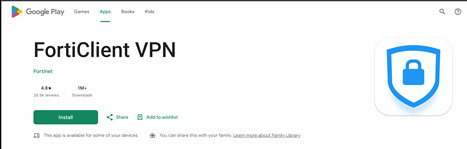
2. Selanjutnya buka Aplikasi Forticlient VPN lalu lakukan konfigurasi sebagai berikut;
a. Create new IPSec VPN on FortiClient
b. Follow the parameters below

Add VPN Name: WIKA-IPSEC
VPN Type: IPsec VPN
Then click Create
c. 
 Choose Server settings, configure:
 |
Servers: secure2.wika.co.id
 Authentication Method: Presharedkey
 Pre-shared key: P@ss2026#W1k4!
IKE Mode: Aggressive Mode
 Then click Go Back
 |
d.  Choose IPsec Phase 1 settings, configure:

Pair 1
Encryption: AES-128
Authentication: MD5
Pair 2
Encryption: AES-128
Authentication: SHA-1
 Pair 3
Encryption: 3DES
Authentication: MD5
Pair 4
Encryption: 3DES
Authentication: SHA-1
DH Group: 5
Then click Go Back
e. Choose IPsec XAuth settings, configure:


XAuth enable?: Enabled
Username: <your username> (optional)
Password: <your password> (optional)
You can put your username and password
here if you want to save them (Not recommended)
Then click Go Back
f. Choose IPsec Phase 2 settings, configure:


Pair 1
Encryption: AES-128
Authentication: MD5
Pair 2
Encryption: AES-128
Authentication: SHA-1
Pair 3
 Encryption: 3DES
Authentication: MD5
Pair 4
Encryption: 3DES
Authentication: SHA-1
DH Group: 5
Then click Go Back
3. Selanjutnya dari halaman utama klik button Connect lalu masukkan username dan password untuk masuk ke dalam VPN Wika Group seperti berikut;

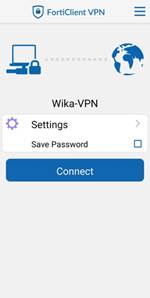
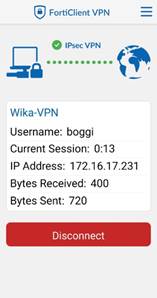
Setelah itu anda dapat mengakses ke seluruh sistem wika (Web Application maupun Mobile Application)